
Download UVK - Ultra Virus Killer – antivirus, malware removal, system cleanup, registry backup, browser protection, Windows security
Overview
UVK - Ultra Virus Killer is a security-focused tool designed for Windows users seeking comprehensive protection and system optimization. Positioned as a multifunctional utility, the application aims to safeguard digital environments by combining antivirus capabilities with system maintenance and cleanup features. Its primary purpose is to detect and eliminate malware, prevent unauthorized browser modifications, maintain system performance, and provide critical backup options for the Windows registry. The app addresses common challenges faced by everyday users, such as slow performance, unwanted toolbars, corrupted system settings, and persistent malware threats. It is particularly suited for individuals who prioritize both security and system efficiency without relying on multiple standalone tools.
While the developer, UVK, is listed as the provider, no additional background information about the company or its history is available. The application is designed specifically for the Windows platform, indicating a targeted audience of desktop users rather than mobile users. Real-world use cases include routine system maintenance for home users, protection for small business computers, and troubleshooting for systems affected by malware or performance degradation. In the broader software ecosystem, UVK occupies a niche as a consolidated utility that blends antivirus functionality with optimization tools, offering a streamlined alternative to managing several separate applications.
Key Features & Functionality
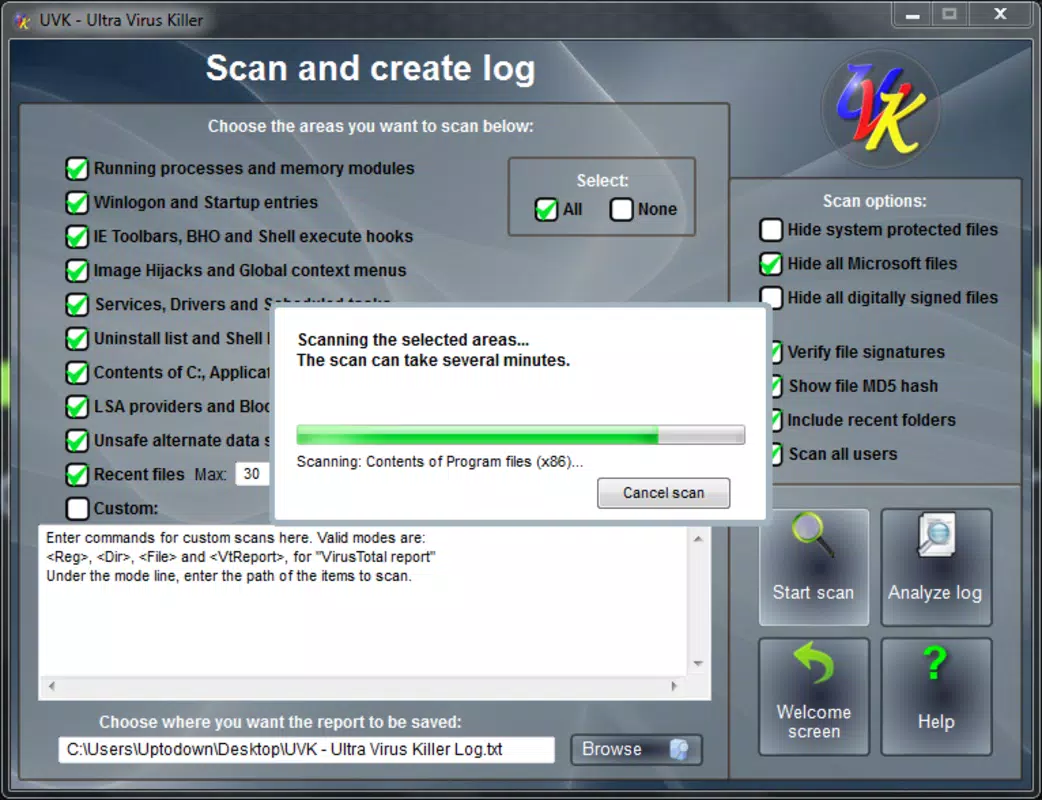
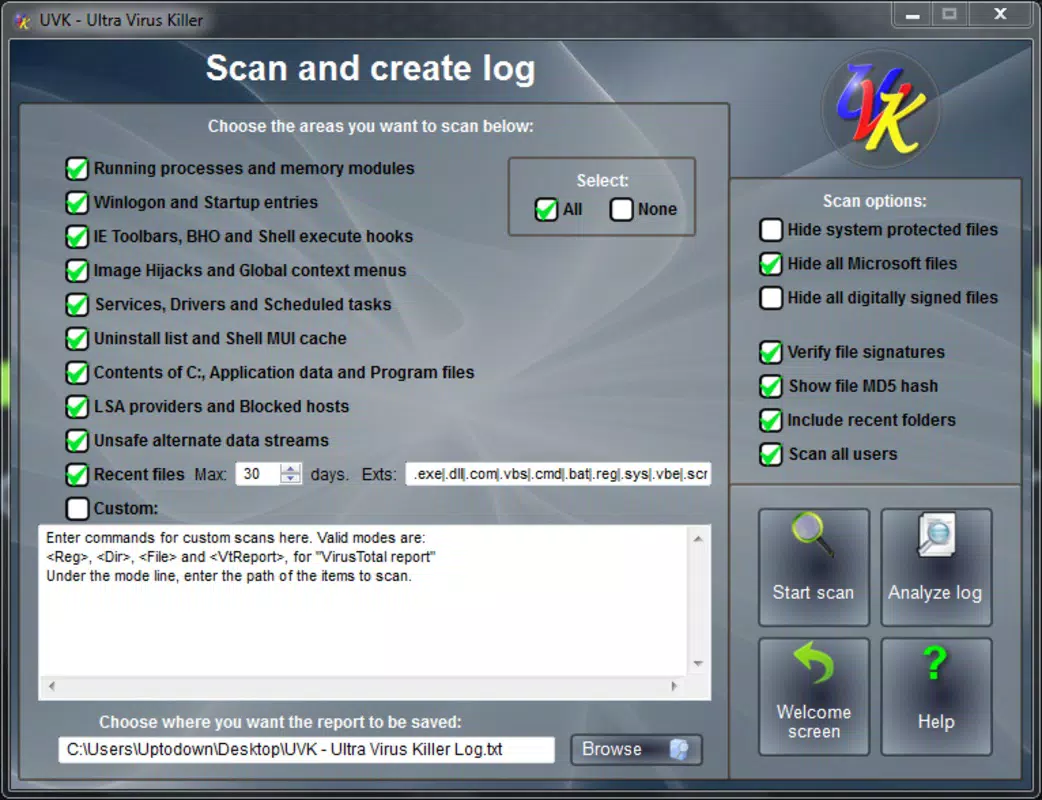
- Malware Detection and Elimination: UVK employs advanced scanning algorithms to identify and remove various forms of malware, including viruses, trojans, spyware, and ransomware. This feature ensures that the system remains protected from active threats, helping users avoid data loss and privacy breaches.
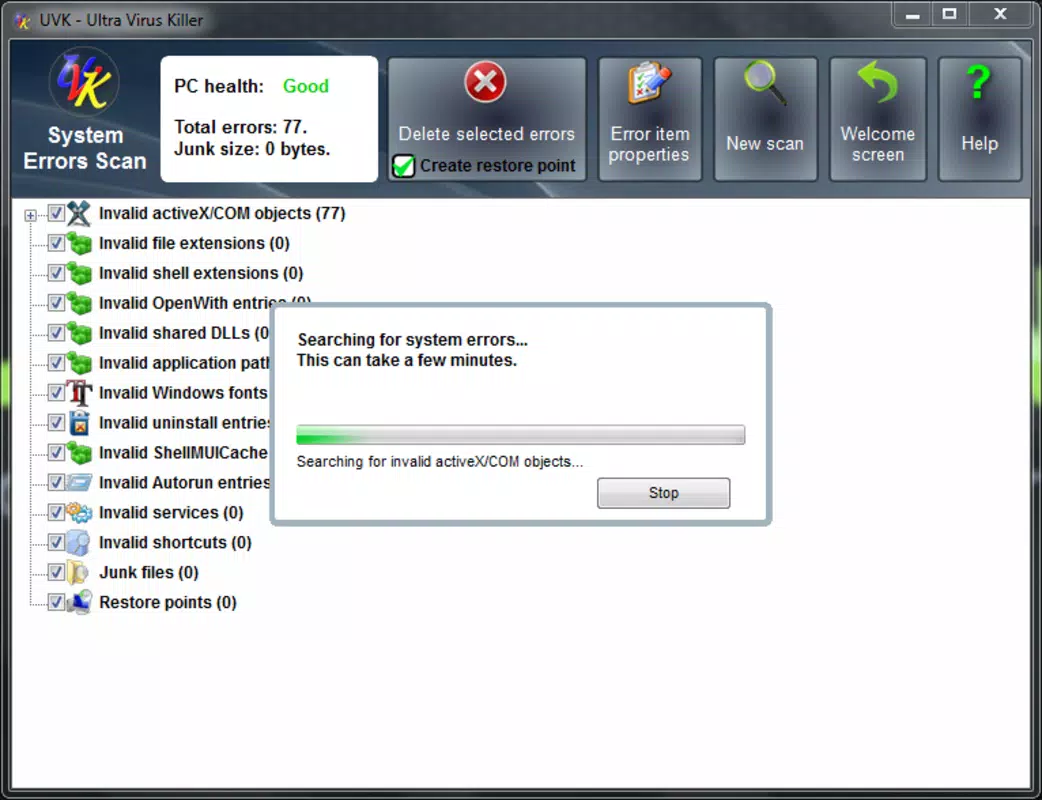
- 12 System Maintenance Tools: A suite of 12 one-click tools enables users to manage executable files, monitor running processes, analyze the registry, and perform other essential maintenance tasks. These tools simplify system upkeep for users with varying technical expertise.
- Browser Protection: The application actively blocks unauthorized changes to browser settings, such as default search engines, homepages, and toolbars. This prevents unwanted redirects and maintains a clean browsing environment without requiring manual cleanup.
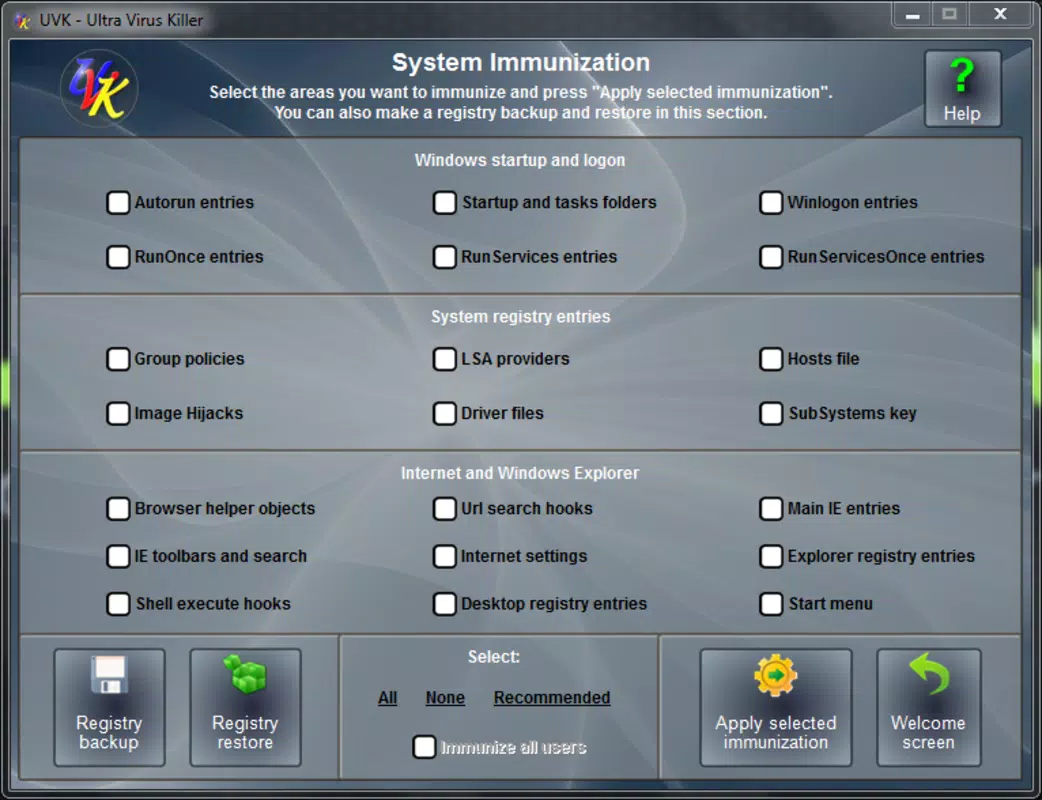
- Registry Backup and Restoration: UVK allows users to create backups of the Windows registry before making changes. In case of system instability or errors, users can restore the registry to a previous state, minimizing downtime and recovery efforts.
- Trash Files and Folders Removal: The app automatically identifies and deletes temporary, cache, and junk files, freeing up disk space and improving overall system responsiveness.
These features work in tandem to deliver a cohesive user experience. For example, after a malware scan, the system cleanup tool can remove residual files, while the registry backup ensures that any modifications made during the repair process are reversible. This integration enhances reliability and reduces the risk of system damage during maintenance.
Interface, UX & Performance
UVK - Ultra Virus Killer presents a clean, functional interface tailored for Windows users. The layout is organized around a central dashboard that provides quick access to core functions such as scanning, maintenance, and backup. Navigation is straightforward, with clearly labeled sections and minimal visual clutter, supporting efficient workflow execution. The design emphasizes usability over aesthetics, focusing on clarity and direct access to tools.
Although the developer did not list formal performance metrics, the application’s file size of 15.3 MB suggests a lightweight footprint, which may contribute to efficient operation on a range of Windows systems. The app appears optimized for responsiveness, with minimal lag during scans and tool execution. Stability is likely maintained through modular design, allowing individual tools to operate independently without affecting overall system performance.
Users can expect consistent behavior across different device categories, though specific compatibility details were not disclosed. The application does not appear to rely heavily on system resources during idle periods, making it suitable for background operation. Overall, the UX prioritizes simplicity and effectiveness, aligning with the needs of users seeking reliable, no-frills system management.
Platform Compatibility & Technical Requirements
UVK - Ultra Virus Killer is designed exclusively for the Windows operating system. The current version, 1.0.2025.1, was released on April 5, 2025, and the application file size is 15.3 MB. The developer did not specify minimum OS requirements, nor did they list compatibility with specific Windows versions such as Windows 10, 11, or older editions.
Given its small file size and targeted functionality, the app is likely compatible with most modern Windows installations. However, without official documentation, users are advised to verify system compatibility before installation. The absence of detailed technical specifications means that installation on older or low-resource systems cannot be confirmed. The app’s platform-specific nature indicates it is not available for Android or iOS devices, focusing solely on desktop environments.
Pros and Cons
Pros
- Comprehensive suite combining antivirus, cleanup, and system repair tools.
- Lightweight design with a small file size of 15.3 MB.
- One-click access to 12 essential system maintenance functions.
- Includes registry backup and restoration for system recovery safety.
- Offers browser protection to prevent unwanted modifications.
Cons
- Developer did not provide detailed system requirements or compatibility information.
- No public information about the company or its development history.
- Price point of $12.99 may be considered high for a single-purpose utility.
- Limited to Windows platform; no support for mobile or other operating systems.
- Specific performance benchmarks or user feedback were not disclosed.
FAQ
Is UVK - Ultra Virus Killer safe to download and install?
Yes, the application is designed as a security tool for Windows systems. However, users should only download it from official sources to ensure authenticity and avoid potential risks.
Can I use UVK on older versions of Windows?
The developer did not specify minimum OS requirements. While the app may work on older systems, compatibility cannot be guaranteed without further information.
Does UVK offer automatic updates?
Automatic update functionality is not mentioned in the provided details. Users should check the app’s settings or official website for update management options.
Is UVK available for Android or iOS devices?
No. UVK - Ultra Virus Killer is designed exclusively for Windows and is not available on mobile platforms such as Android or iOS.
What happens if I lose my registry backup?
If the backup file is lost or corrupted, restoration will not be possible. It is recommended to store backup files in a secure, accessible location outside the system drive.
Final Thoughts
UVK - Ultra Virus Killer presents a focused, integrated solution for Windows users who need both security and system optimization in a single package. Its combination of malware detection, browser protection, registry management, and cleanup tools offers tangible value for individuals seeking to maintain a stable, secure computing environment. While the lack of detailed technical documentation and developer transparency limits full confidence, the app’s lightweight nature and clear functionality make it a compelling option for desktop users.
Those who frequently encounter system slowdowns, browser hijacks, or registry issues will benefit most from its features. For users managing multiple tools, UVK simplifies the process by consolidating essential functions into one accessible interface. Despite its $12.99 price tag, the app delivers a high degree of utility for its intended purpose.
Download UVK - Ultra Virus Killer now to take control of your system’s security and performance with a trusted, all-in-one tool.


